


Gamuroid: Retro Game Emulator
4.4443.00 Reviews
App Specs
- Version
- 5.7.3
- Updated On
- License
- Free
- Downloads
- 1,000,000+
- Developer
- Metaverse Labs
- Categories
- Tools
- Platform
- Android
Screenshots
 Analysis by AppCompare
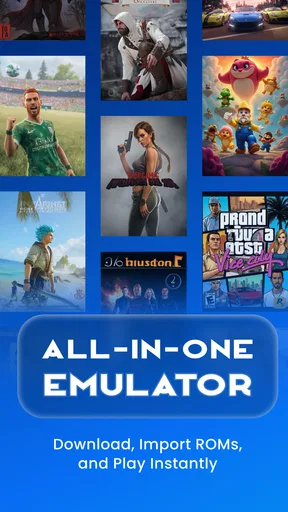
I approached Gamuroid: Retro Game Emulator as a practical tools app rather than as a promise that one download can perfectly replace every classic gaming machine. Its appeal is easy to understand: it brings support for several older platforms into one Android app, including PSP, PSX, PS2, NES, Game Boy, Game Boy Advance, DS, N64 and more. In my experience, that makes it interesting for anyone who wants a single place to organize retro gaming, but the real question is whether convenience matters more to you than the specialized controls and fine-tuning offered by separate emulators.
Developed by Metaverse Labs, Gamuroid is free to install and aimed at Everyone. It belongs to the Tools category, runs on Android 7.0 or later, and has reached over a million installs. Its average rating sits at 4.4 from roughly fifty-seven thousand ratings, which suggests that the all-in-one idea is connecting with a sizeable audience. I would still treat those figures as a starting point, not a guarantee that every system or every phone will behave identically.
What I would check before choosing an emulator
My first decision criterion is the kind of library I actually want to play. If most of my interest is in one demanding platform, a dedicated emulator may offer a more focused experience. If I move between cartridge-era systems and disc-based consoles, however, the convenience of Gamuroid becomes much more valuable. The app’s broad platform coverage means I do not have to jump between several interfaces every time I change the type of game I want to revisit.
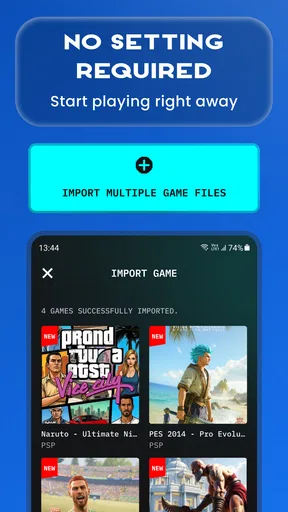
The second criterion is how much setup I am willing to tolerate. Retro emulation often involves locating legally obtained game files, arranging them sensibly, and learning how controls, saves and display options work. A multi-system app can reduce the number of separate applications to maintain, but it does not remove the need to understand the basics. I would not recommend installing it expecting a collection of games to appear automatically.
Performance is another important filter. Older 8-bit and handheld systems are generally a different challenge from later disc-based platforms, so “supports” should not be read as “every title will run perfectly on every device.” The phone or tablet still matters, especially when moving toward PSP, PS2 or other more demanding systems. I would begin with a modest test library before reorganizing everything around the app.
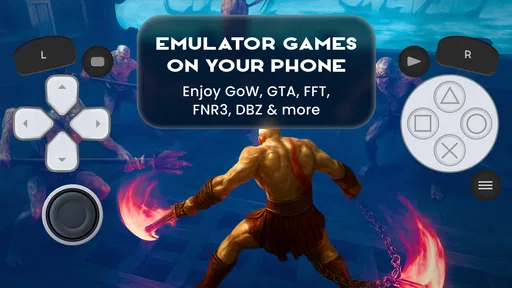
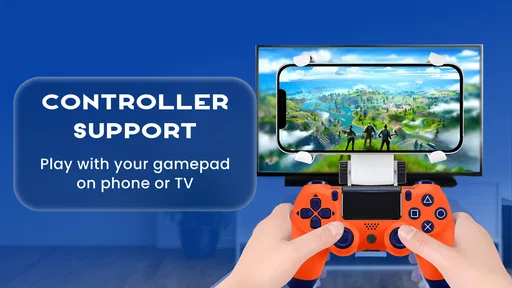
Controls deserve more attention than they usually receive in store descriptions. Touch controls can be perfectly acceptable for turn-based games, puzzle titles and short sessions, but they are less comfortable for games that depend on precise movement, shoulder buttons or rapid combinations. A Bluetooth controller can change the experience considerably, yet that also makes the app less of an instant, no-accessory solution. My advice is to judge it with the games you genuinely plan to play, not only with a menu or a short demonstration.
Finally, I would consider how important platform-specific polish is to me. A specialist emulator may be preferable when I want the deepest configuration for one console family. Gamuroid makes a stronger case when my priority is a unified retro shelf and quick switching between different generations. That distinction is the key to making a sensible decision.
Worth Reading Before You Choose

EA SPORTS FC Mobile 26 Is a Bigger Football Game, but It Takes Time

Flipboard Shows What News Apps Must Do Beyond the Feed

Switching to Android Auto Means Rethinking Your Driving Routine

Google Calendar Makes a Crowded Week Easier to Manage

Ludo King Makes the Most of the Minutes Between Plans

Baby Panda World Brings Quick Play to Modern Phones, but Its Game Library Feels Busy
One library, many generations
The strongest part of Gamuroid is its breadth. Having PSP, PSX, PS2, NES, GB, GBA, DS, N64 and other systems represented in one tool is more useful than it sounds. I can imagine keeping a small selection of games from different eras and choosing based on mood without remembering which application belongs to which file. That lowers everyday friction, especially on a phone where a crowded app drawer quickly becomes annoying.
This approach also suits people who are rediscovering retro games rather than building a technically perfect emulation setup. A newcomer can explore several generations without first comparing a long list of specialized apps. The interface becomes the common starting point, and that is a genuine advantage for casual players, families sharing a device, or anyone who values simplicity over exhaustive tweaking.
There is a useful organizational benefit too. When games from multiple systems live in one workflow, it becomes easier to think in terms of the games themselves instead of the hardware they originally used. I find that especially helpful for short sessions: I can move from a handheld game to a console title without mentally changing tools first. That small reduction in friction is where an all-in-one emulator earns its place.
Gamuroid is also appealing as a travel companion. On a train, during a break or while waiting for an appointment, I may want something that starts quickly and does not require carrying several devices. A phone with a controller and a carefully prepared selection of legally sourced game files can be much lighter than a collection of original hardware. The app does not make the games portable by magic, but it can make the surrounding routine more manageable.
A practical workflow that saves time later
I would set up the app in stages rather than importing an entire library on the first day. I would start with a few games from different systems, confirm that they appear correctly, test the controls, and check how saving works before adding more. This is one of the less obvious advantages of a multi-system tool: a small trial exposes whether the common interface suits me before I invest time in a full catalog.
I would also keep the file structure simple and consistent. Separate folders by platform and use readable names so that browsing remains comfortable on a small screen. This is not a glamorous feature, but it matters more with an all-in-one emulator because a single mixed folder can quickly become harder to navigate than several dedicated apps.
For games with complicated button layouts, I would try a controller before deciding that the emulator is uncomfortable. Touchscreen overlays are convenient, but they occupy part of the display and can make a demanding game feel cramped. Conversely, for a turn-based role-playing game or a puzzle title, touch input may be entirely adequate and more convenient than pairing extra hardware.
I would treat save management as part of the setup, not an afterthought. Normal in-game saves and emulator-created quick saves serve different purposes: one belongs to the game’s own progression, while the other is useful when pausing at an awkward moment. I would avoid relying on a single method until I had tested it with the particular system and game. A few minutes of checking is preferable to discovering later that a cherished session was not recorded as expected.
Another useful habit is to test demanding systems in short sessions first. If a game feels unstable, overheats the device or drains the battery faster than I accept, I would not assume the whole app is unusable. The problem may be specific to that platform, title or device. The reverse is also true: one smooth older game does not prove that every supported system will offer the same experience.
Where the app is a better fit than separate alternatives
Compared with using a different dedicated emulator for every console family, Gamuroid wins on consolidation. There is less switching between interfaces, fewer icons to maintain and a more consistent starting point for a mixed collection. I would choose it for a household where different people want different generations, or for myself if I regularly alternate between handheld and home-console games.
It is also a sensible first step for someone who does not yet know which systems deserve a permanent place on the device. Instead of committing immediately to one specialized application, I can explore the range and later decide whether a particular platform deserves a more advanced setup. In that sense, the app works as a discovery tool as much as a player.
The broad compatibility is particularly attractive for retro fans whose interests are scattered. Someone may want a short Game Boy session one evening, a PSX game the next day and an N64 classic at the weekend. The value is not that every experience becomes identical; it is that the same app remains the doorway to each one.
There is a psychological benefit as well. A single tool feels less intimidating than a folder full of emulator names and platform-specific settings. I would recommend that simplicity to a friend who wants to revisit old games but does not enjoy technical maintenance. Gamuroid lets that person begin with a manageable setup and learn only the controls and options that matter to them.
Where a different emulator may be the wiser choice
I would look elsewhere if one particular platform is my main reason for emulating. A dedicated alternative may provide a more specialized control layout, more detailed graphics options or a workflow designed around that system. I am not saying Gamuroid cannot be useful in that situation; I am saying its biggest advantage, variety, matters less when I rarely leave one console family.
I would also be cautious if I expect demanding platforms to behave like older ones. The inclusion of PS2 or PSP support makes the app ambitious, but it does not remove the hardware requirements and compatibility differences associated with those systems. A powerful device may be a more comfortable match than an older entry-level phone, while a user interested mainly in NES or Game Boy may gain little from prioritizing high-end coverage.
Players who enjoy adjusting every technical detail may prefer a specialist tool. An all-in-one design necessarily asks me to accept a common experience across platforms, whereas a dedicated emulator can feel more tailored. If I spend more time tuning graphics, input response and per-game behavior than actually playing, Gamuroid’s simplicity may feel restrictive rather than helpful.
There is also a legal and practical responsibility that remains with the user. The app is an emulator, not a replacement for owning or obtaining games through legitimate means. I would prepare only files I am entitled to use and avoid treating the broad platform support as permission to download copyrighted material from random sources. That approach also improves reliability, because questionable files can create problems that are wrongly blamed on the emulator.
Free entry, with a cost to consider
The free price makes Gamuroid easy to try, which is important for an app whose usefulness depends so much on personal device performance and preferred systems. I can test the interface and a small selection without paying upfront. There are in-app purchases ranging from under a dollar to just under forty dollars per item, so I would inspect each purchase carefully and decide whether it adds value to my own routine before spending.
For me, the main cost is not the initial download but the time spent preparing a good library. Sorting files, pairing a controller, checking saves and learning which systems suit the phone all require attention. That effort is worthwhile when I want one unified setup, but it can feel unnecessary if I only plan to play a single handheld game occasionally.
Switching from separate emulators can also involve a small organizational cost. Existing files may need to be located and arranged in a way that feels natural inside the new app. I would not delete the old tools immediately. I would run both workflows for a while, confirm that the games I care about behave properly, and only then decide whether consolidation is genuinely making life easier.
On the other hand, switching away from Gamuroid later may be simpler if I have kept my game files organized independently from the app. That is another reason not to bury everything in an opaque structure. A clean personal library gives me flexibility whether I stay with the all-in-one approach or move a favorite platform to a dedicated emulator.
Who should install it first?
I think Gamuroid is best for Android users who want variety, a single retro-gaming entry point and a relatively approachable way to explore several systems. It is especially suitable for someone who values convenience over platform-by-platform perfection. The Everyone content rating also makes its general audience clear, although the appropriateness of individual games still depends on the games selected.
I would recommend it to a friend who says, “I want my old games with me, but I do not want to manage a separate app for every console.” I would suggest starting with a small, legally obtained collection, using touch controls for simpler titles and adding a physical controller if action games become uncomfortable. That gives a realistic impression of the app without turning setup into a weekend project.
I would not make it my first recommendation for a technically demanding enthusiast whose entire setup revolves around one system. That person may be happier with a specialized emulator and its deeper per-platform approach. I would also advise caution for anyone using older hardware and expecting the most demanding supported systems to run effortlessly.
My recommendation after weighing the trade-offs
Gamuroid succeeds because it solves a real annoyance: retro gaming can become fragmented across too many apps, folders and control schemes. Metaverse Labs has chosen a broad, practical direction, and the result makes sense for players who want to move between PSP, PSX, PS2, NES, GB, GBA, DS, N64 and other systems without constantly changing tools. The app’s popularity and strong average rating reinforce that it is not a niche experiment, but my decision would still be based on my own library and phone.
My final advice is to view it as a convenient hub, not as a promise of identical performance across every platform. Start small, test the systems you care about, check saving behavior, and be honest about whether touch controls are enough. If those tests fit your habits, the free entry makes trying it a sensible choice. If you want the deepest possible treatment for one console, a dedicated alternative may remain better.
For my own use, I would choose Gamuroid when portability and variety are the priorities. The best reason to use it is not that it supports many systems; it is that it turns a scattered retro collection into one easier routine. That is a meaningful advantage, provided I accept the trade-off between broad convenience and the specialized polish that a single-platform emulator can sometimes deliver.
Pros
- Supports many classic console formats in one app.
- Simple controls make quick gaming sessions easy.
- Save states let you resume games almost instantly.
- Lightweight design works well on older Android devices.
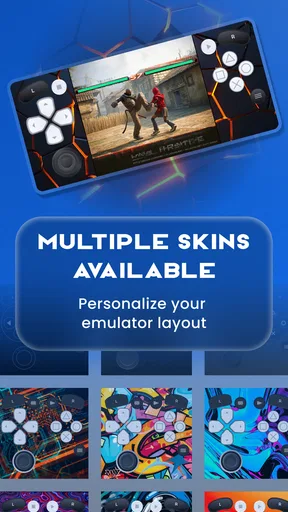
- Useful customization options for buttons and screen layout.
Cons
- Game files are not included and must be obtained separately.
- Compatibility can vary depending on the console and ROM used.
- Touch controls may feel uncomfortable during action-heavy games.
- Some advanced settings may confuse users new to emulation.
- Performance and audio quality can differ between devices.
FAQs for Gamuroid: Retro Game Emulator
What is Gamuroid: Retro Game Emulator?
Gamuroid is a retro gaming emulator designed for Android devices. It allows users to play compatible classic console games through ROM files loaded onto the device. The app generally focuses on providing a simple interface, touch controls, save states, and other convenience features that make older games easier to enjoy on a modern phone or tablet. The exact systems supported may depend on the app version and device.
Does Gamuroid include games, or do I need to provide ROM files?
Gamuroid is an emulator, not a store containing a library of commercial games. In most cases, you need to provide your own legally obtained ROM files and load them into the application. Users should only download, copy, or use game files when they own the original software or have permission from the copyright holder. Availability, compatibility, and legal rules can vary by country, so check local regulations before using any ROM.
Which devices and games are compatible with Gamuroid?
Compatibility depends on your Android version, device hardware, the emulated console system, and the specific ROM file. Many retro games run smoothly on ordinary modern phones, while more demanding systems may require a faster processor and additional configuration. Before downloading, check the app’s store listing for supported platforms and minimum requirements. Some games may also experience graphical, audio, or controller issues even when the emulator itself opens normally.
What features does Gamuroid offer for playing retro games?
Gamuroid is intended to make classic games more convenient on mobile devices. Depending on the installed version, useful features may include on-screen controls, support for external controllers, save states, loading saved games, adjustable display options, and automatic game detection. These tools can improve portability, although touch controls may feel less precise than a physical gamepad. Feature availability and behavior can differ between devices, Android versions, and individual games.
Is Gamuroid safe and legal to download and use?
The safest approach is to install Gamuroid from a reputable official source, such as the Google Play Store or the developer’s verified distribution channel, and review the permissions requested before installation. The emulator itself may be legal, but downloading copyrighted ROMs without authorization can violate intellectual-property laws. Avoid suspicious websites offering bundled games or modified APK files, since they may contain malware, unwanted advertising, or altered software that could compromise your device.


